
Seven cases where you should buy from someone else: functional safety, guaranteed determinism, IEC 61131-3 specs,...
Latest posts
-
 When NOT to use a GEVINORead more
 -
 Da Ladder e testo strutturato a GEVINO con l'aiuto dell'IA: costi ricorrenti a confronto, cosa si converte davvero, cosa non si converte, e la sequenza di migrazione a rischio più basso.Read more
The logic of a small machine fits on one printed page and has not changed in ten years. The bill of materials changes...
-
 Alarm Handling and I/O Monitoring: PLC Safety Logic Without Writing a Line of CodeRead more
"Artificial intelligence only writes toy examples": it is the most common objection, and it is fair. So we gave it...
-
 Industrial Retrofitting and Modbus RS485: Get Old Machines Onto the Network Without Losing Your MindRead more
There is a press from 1998 in the corner of the shop floor: it works perfectly and has no idea what Industry 4.0 is....
-
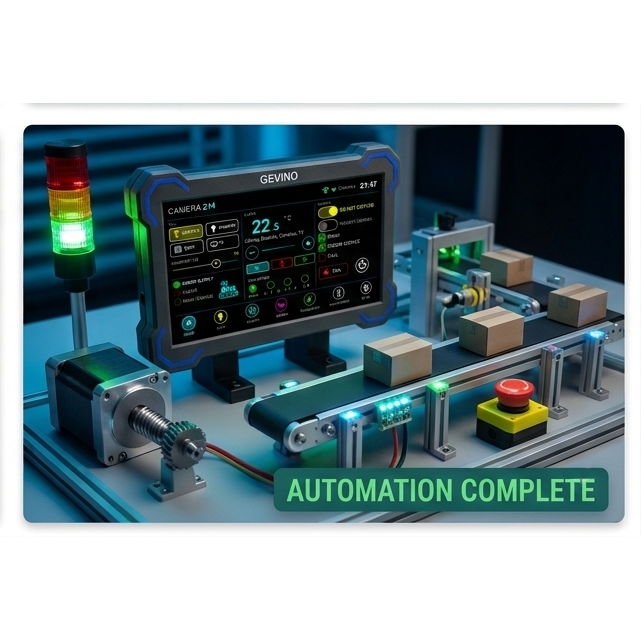 From Idea to PLC Code in 2 Minutes: AI Writes a Conveyor Belt's Control LogicRead more
A photocell, a belt, a red lamp. Until recently, turning that description into a working program took a skilled...
-
 Arduino Is Not Industrial? Let's Clear Up the MisconceptionsRead more
Many engineers believe Arduino is suitable only for hobby projects. In reality, industrial reliability depends on...
-
 How to Program a PLC with Artificial Intelligence in 2026Read more
Discover how Artificial Intelligence is transforming PLC programming. Learn how ChatGPT, Claude Code, and...
-
 Why Choose GEVINO Instead of a Traditional PLC?Read more
GEVINO challenges traditional PLCs with lower costs, no software licenses, AI-assisted programming, and maximum...
Blog categories
Search in blog
Archived posts
Industrial Retrofitting and Modbus RS485: Get Old Machines Onto the Network Without Losing Your Mind
The 1998 press and the company network
There is a press from 1998 in the corner of the shop floor. It works perfectly. It has a drive with a serial port, a terminal strip, and absolutely no idea what Industry 4.0 is.
Nobody is going to scrap it. Somebody, though, is going to be asked to make it talk to the company system — and that somebody will spend two days on transmission timings, register addresses and serial line handshaking before reading a single temperature.
This article is about delegating exactly those two days.
The retrofitting challenge
Digitalising an existing plant is hardly ever a mechanical problem. The machine already has everything you need: drives that expose their internal data, temperature and pressure sensors, counters, safety chains. What it lacks is a node — a device that reads those values, applies a little logic locally, and forwards them upstream over Ethernet, Wi-Fi or radio.
Replacing the whole control system to obtain that node is out of proportion. Adding a small, DIN-rail industrial controller next to the existing cabinet is not. That is the classic retrofit: the original machine keeps running exactly as before, and a second device — separate, on its own terminal strip — reads it and publishes it.
The requirements for that node are unglamorous but strict:
- a genuine industrial RS485 serial port, not a USB adapter taped inside the cabinet;
- opto-isolated inputs and protected outputs, because a metre away the machine will be switching inductive loads right next to your signal cables;
- screw terminals, 24 V supply, DIN-rail mounting;
- enough software openness to add a web page, a cloud upload or a radio link tomorrow.
Why Modbus configuration is intimidating
Modbus is a simple protocol with a hostile learning curve. The logic is trivial; the details are what eat the two days.
- Taking turns to speak. On an RS485 line only one device talks at a time. You have to switch the transmitter on before the first character and off after the last one has genuinely left. A moment too early and your sentence is cut short; a moment too late and it collides with the other device's reply.
- Register numbering. The drive manual says "40001". The protocol wants register 0. The 4xxxx notation is a catalogue convention, not an address. Being one out here produces a perfectly plausible, completely false number.
- Scaling. Many drives answer in tenths: 587 means 58.7 °C. Nothing in the message says so. Only the manual says so.
- Line parameters. Speed, parity, the pauses between messages — they must match what is set on the machine, which frequently nobody remembers any more.
- Error handling. A retrofit node that stops reading and leaves an output energised is worse than no node at all.
An AI assistant that has read the board's documentation solves the first point by itself, keeps the last one in mind by default and — most importantly — warns you about the second and third, so you can check them against the drive manual instead of discovering them on site.
The test: what we asked for
"Create the program for a GEVINO PLC that reads the temperature of an industrial drive over Modbus RS485 (register 40001, speed 9600, device number 1) and switches output 1 if the temperature goes above 60 °C."
The three things the artificial intelligence flagged
Before writing a single line, the assistant raised exactly the objections an experienced colleague would raise in a review.
- The right library. On GEVINO, Modbus communication has to sit on the version of the serial library adapted by GEVA for this board — the one that handles the turn-taking on the RS485 line correctly. The standard version installs without complaint and then stays silent on the bus: a classic, and a day lost looking for the cause.
- The address. "40001" became register 0, with a note to verify it: some manufacturers already document their registers from zero, and in that case it needs correcting.
- The reading scale. Left as a clearly declared parameter, with a reminder to set it to tenths if the drive answers in tenths of a degree. The artificial intelligence cannot know your drive — but it can make the assumption visible instead of burying it.
And it added two things the request did not ask for, which a retrofit node genuinely needs:
- A threshold with hysteresis. The output switches on at 60 °C and off at 57, not at 59.9. With a temperature hovering around the set point, a contactor without hysteresis starts chattering and wears out within weeks.
- Defined behaviour when the line goes quiet. After three consecutive failed readings the program declares a communication fault, drops the output and switches on a warning lamp. It does not keep an output energised on the strength of a value ten minutes old: that is the difference between a plant that stops and a plant that damages itself.
What the delivered program does
The result came back complete and commented line by line, ready to load. In plain terms:
- it asks the drive for its temperature twice a second;
- it converts the raw value into degrees and keeps it up to date;
- it drives output 1 through the hysteresis threshold, so the contactor switches as little as possible;
- if the drive does not answer, it tries three times, then puts the system in a safe state and signals the fault on output 2;
- when communication comes back, it resumes on its own and records the fact;
- every five seconds it publishes a diagnostic line readable from a connected computer: temperature, output state, communication state. It is the first thing you will look at when something is not adding up.
Two honest notes, of the kind an experienced integrator always checks. First: when the program asks the drive a question, it waits for the answer. The maximum wait was deliberately kept short — two tenths of a second — and the questions spaced out, so even in the worst case the node does not miss a beat. Second: asking for four values in a single question costs almost the same as asking for one, while asking four separate questions costs four times as much. On a real retrofit, ask for the whole block straight away: temperature, current, status, fault code.
Software can be generated. The cabinet cannot.
The artificial intelligence writes the conversation with the machine. It cannot wire the enclosure.
A retrofit node lives in the worst electrical environment the plant has to offer: contactors switching centimetres away, motor cables running parallel to signal cables, earth potentials that differ from one machine to the next. This is exactly the position where a lab development board on a strip of DIN-rail adapter fails — not immediately, but three weeks later, intermittently, and extremely hard to diagnose.
GEVINO is built to sit there:
- 11 opto-isolated inputs, dual polarity: the field side and the logic side share no ground;
- 4 short-circuit-protected outputs, 40 V / 2.5 A, rated for resistive, inductive and capacitive loads;
- protection against inductive kickback, electrostatic discharge and electromagnetic interference;
- industrial screw terminals, 7–40 V supply, DIN-rail enclosure;
- RS485 on board, up to 255 devices on the same line, with M-Bus support;
- optional Ethernet, Wi-Fi, Bluetooth, real-time clock, RS232, cellular modem and CE certification.
And on the software side everything stays open: the same free tools, the same libraries, the same AI assistants. That is the whole proposition of a retrofit node — industrial robustness at the terminal strip, an open ecosystem in the program.
GEVINO PLCs are designed and manufactured in Italy by GEVA Elettronica.
Browse the models in our online shop, or write to email@gevaelettronica.it: tell us which machine you need to connect and we will tell you which configuration it takes.
Posted in:
GEVINI
Related posts
-
Why Choose GEVINO Instead of a Traditional PLC?
GEVINO challenges traditional PLCs with lower costs, no software licenses, AI-assisted programming, and maximum...Read more
-
How to Program a PLC with Artificial Intelligence in 2026
Discover how Artificial Intelligence is transforming PLC programming. Learn how ChatGPT, Claude Code, and...Read more
-
Arduino Is Not Industrial? Let's Clear Up the Misconceptions
Many engineers believe Arduino is suitable only for hobby projects. In reality, industrial reliability depends on...Read more
-
From Idea to PLC Code in 2 Minutes: AI Writes a Conveyor Belt's Control Logic
A photocell, a belt, a red lamp. Until recently, turning that description into a working program took a skilled...Read more
-
Alarm Handling and I/O Monitoring: PLC Safety Logic Without Writing a Line of Code
"Artificial intelligence only writes toy examples": it is the most common objection, and it is fair. So we gave it...Read more
Leave a comment